How it works
One room. Two traders. One Warden holding everything.
A Warden trade is a short, strict sequence. Every step is a button inside the trade room, and every press is logged. Here is the whole thing, start to seal.
- 1You
Write the terms
Say exactly what you're giving and exactly what you expect back. Pick a category, decide who pays the fee, and invite the other trader by their Warden username or with a private link.
- Be specific: item names, quantities, fly/ride, conditions, wallet networks.
- Notes are for anything else both sides should know.
Status shows
Awaiting trader - 2Them
The other trader accepts
They see the terms word for word, including who pays the fee, and press Accept. If you edit anything after that, their acceptance resets and they accept again. Nobody is ever bound to terms they didn't read.
Status shows
Queued - 3Warden
A Warden claims the trade
The trade goes into the Warden queue. A verified Warden claims it and joins the room. Their username and number are posted in the room; check them on the Verify page before you hand anything over.
- A Warden can never be a party to the trade they run.
- Wardens cannot see trades they are not on.
Status shows
Live - 4Both
Hand your side to the Warden
Each trader gives their side to the Warden (in-game trade, wallet transfer, file, code) and presses “I've handed it over”. The Warden checks it against the terms and presses “Holding”. Nothing is released until both sides read Held by Warden.
- The Warden collects proof: screenshots, transaction hashes, file checks.
- If one side never arrives, the Warden cancels and returns what they hold.
Status shows
Both sides held - 5Warden
Release and seal
With both sides in hand, the Warden hands each one across. You each confirm “I received it”. The moment both confirmations land, the trade is sealed and the record is permanent.
Status shows
Sealed
With screenshots
What it looks like, screen by screen.
A real trade on the real site, from writing the terms to the seal.
- wardenseal.com/t/WDN-····
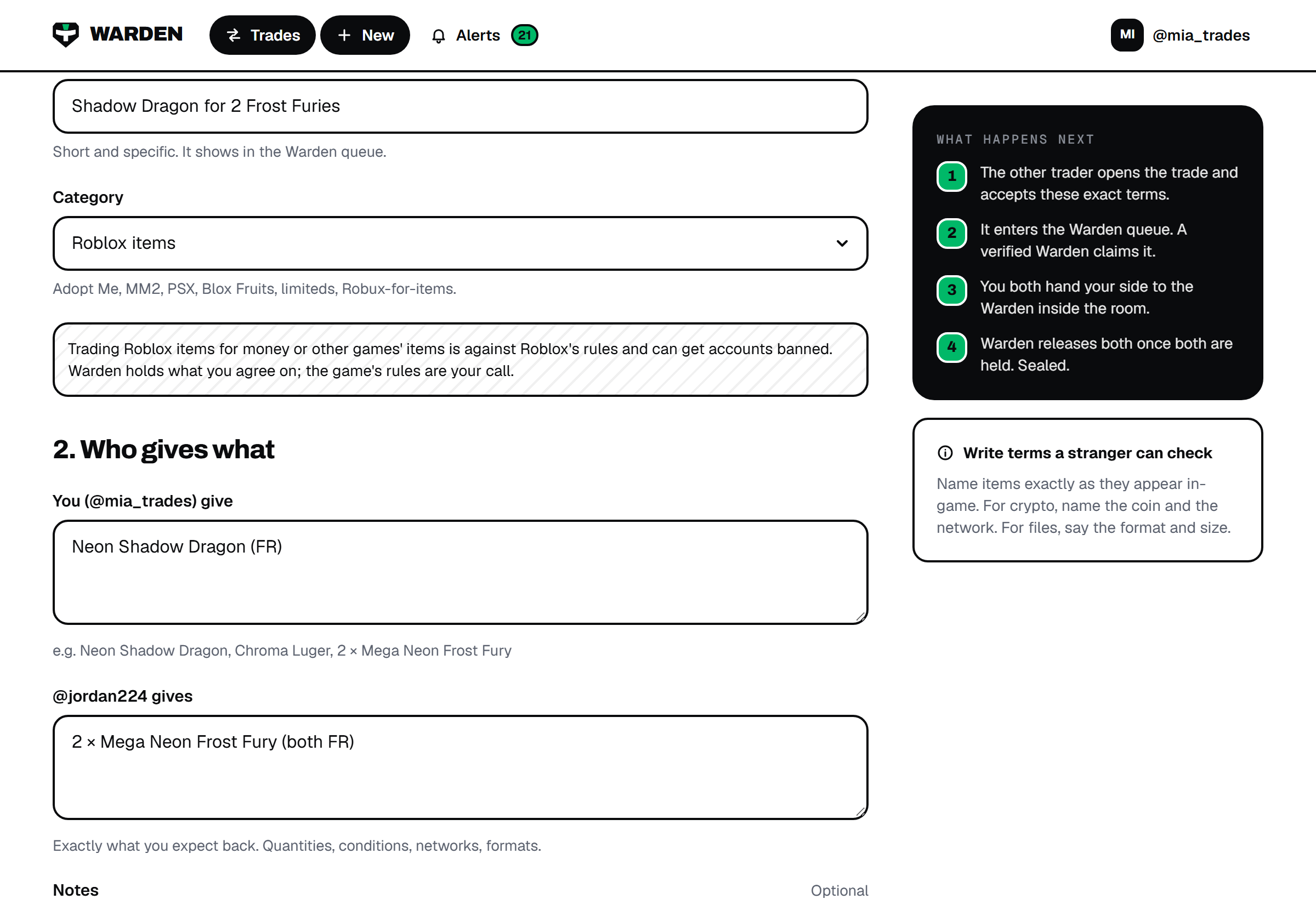 1
You
Write the terms
Press New trade. Name exactly what you give and what you get, pick the category, choose who pays the $1.20, and type the other trader's username. Nothing is charged for writing a trade.
Name items the way they appear in-game or on-chain. A Warden checks them word for word.
- wardenseal.com/t/WDN-····
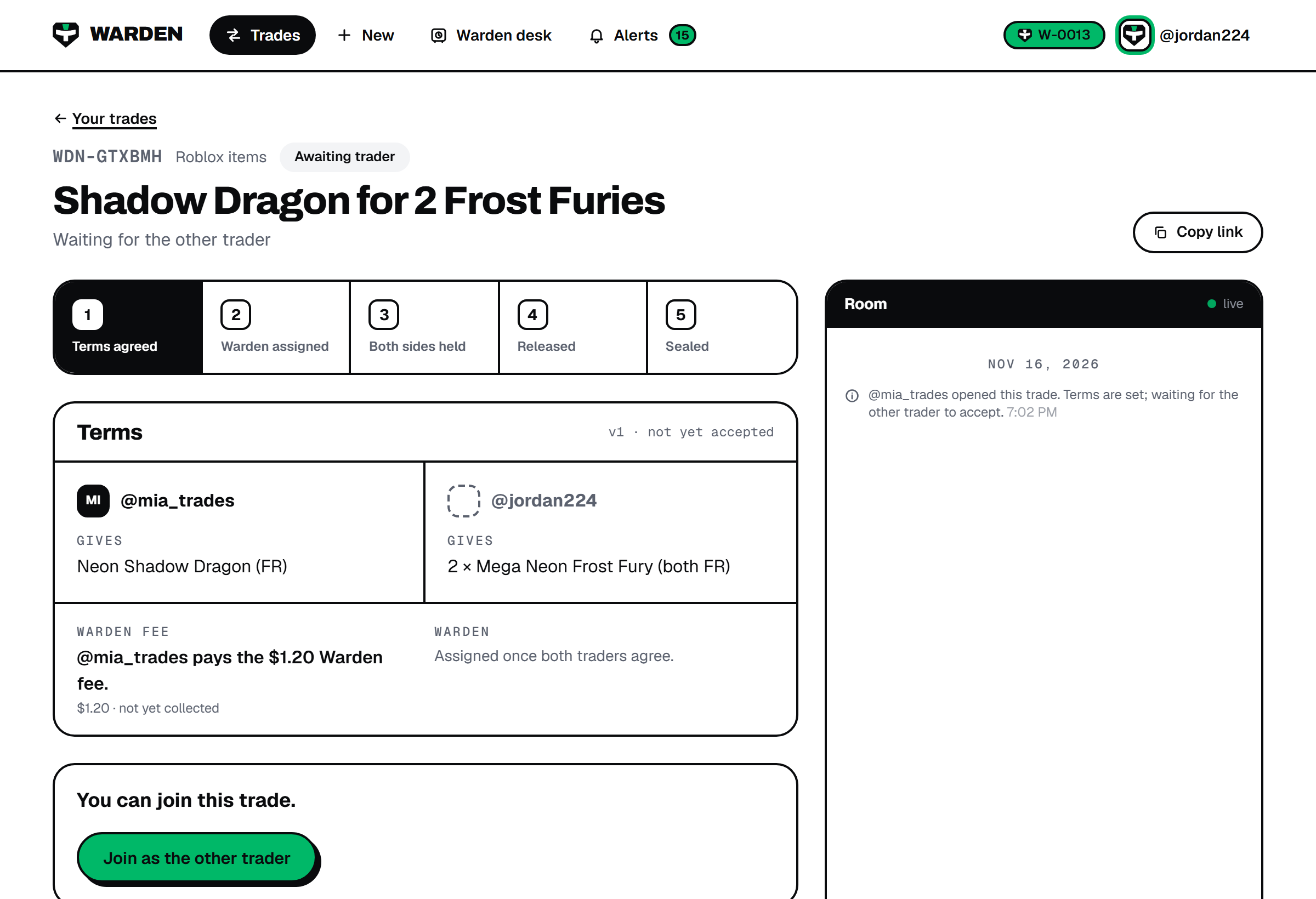 2
Other trader
They accept
The other trader gets the invitation on their dashboard and opens the room. They read the exact terms, including who pays the fee, and press Accept terms. If you edit anything after that, they have to accept again.
- wardenseal.com/t/WDN-····
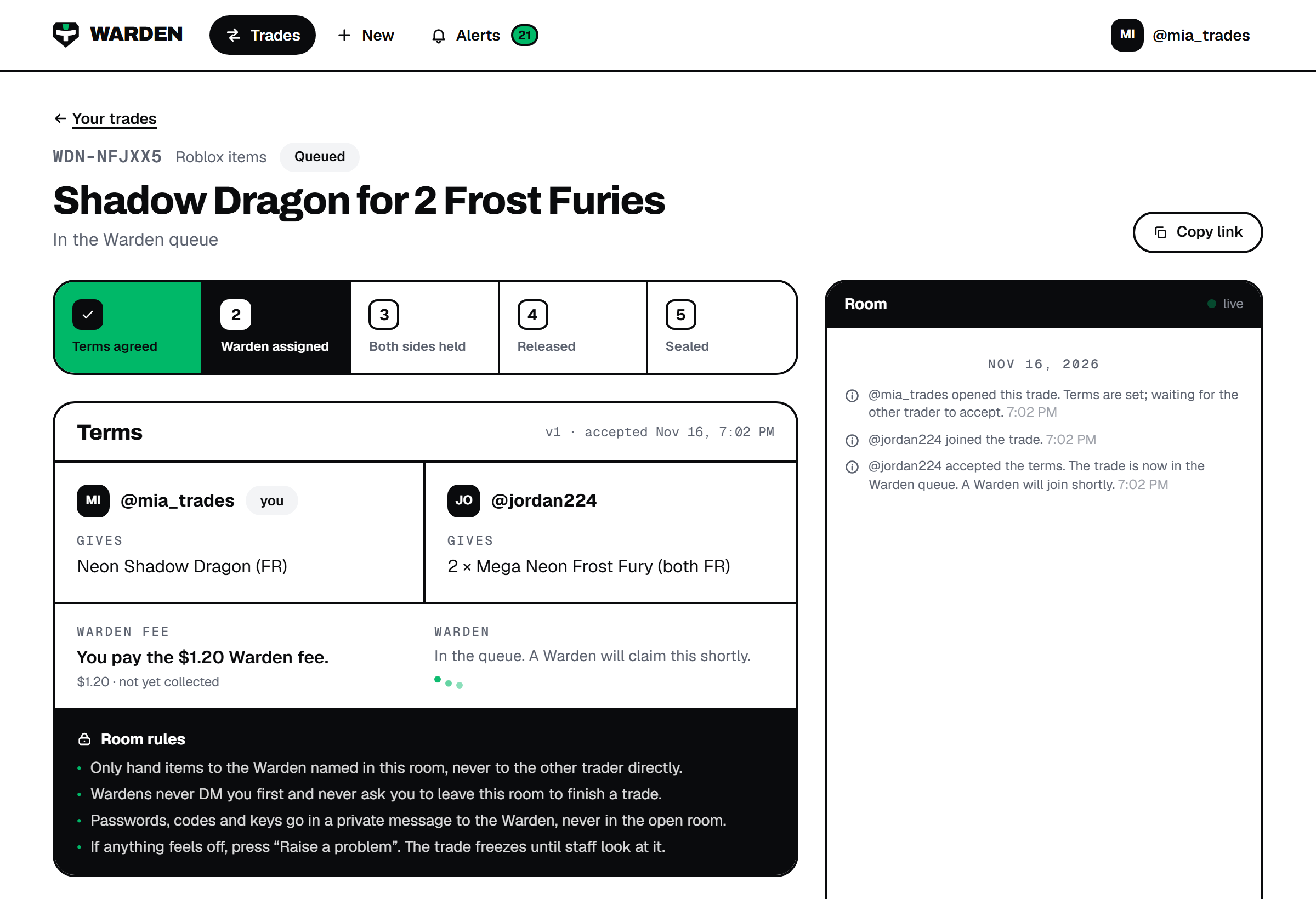 3
Both of you
Wait for a Warden
The trade enters the Warden queue. Step one on the timeline turns green and the Warden slot shows three hopping dots. You'll get an alert the moment a Warden claims it. Don't hand anything to anyone before that.
- wardenseal.com/t/WDN-····
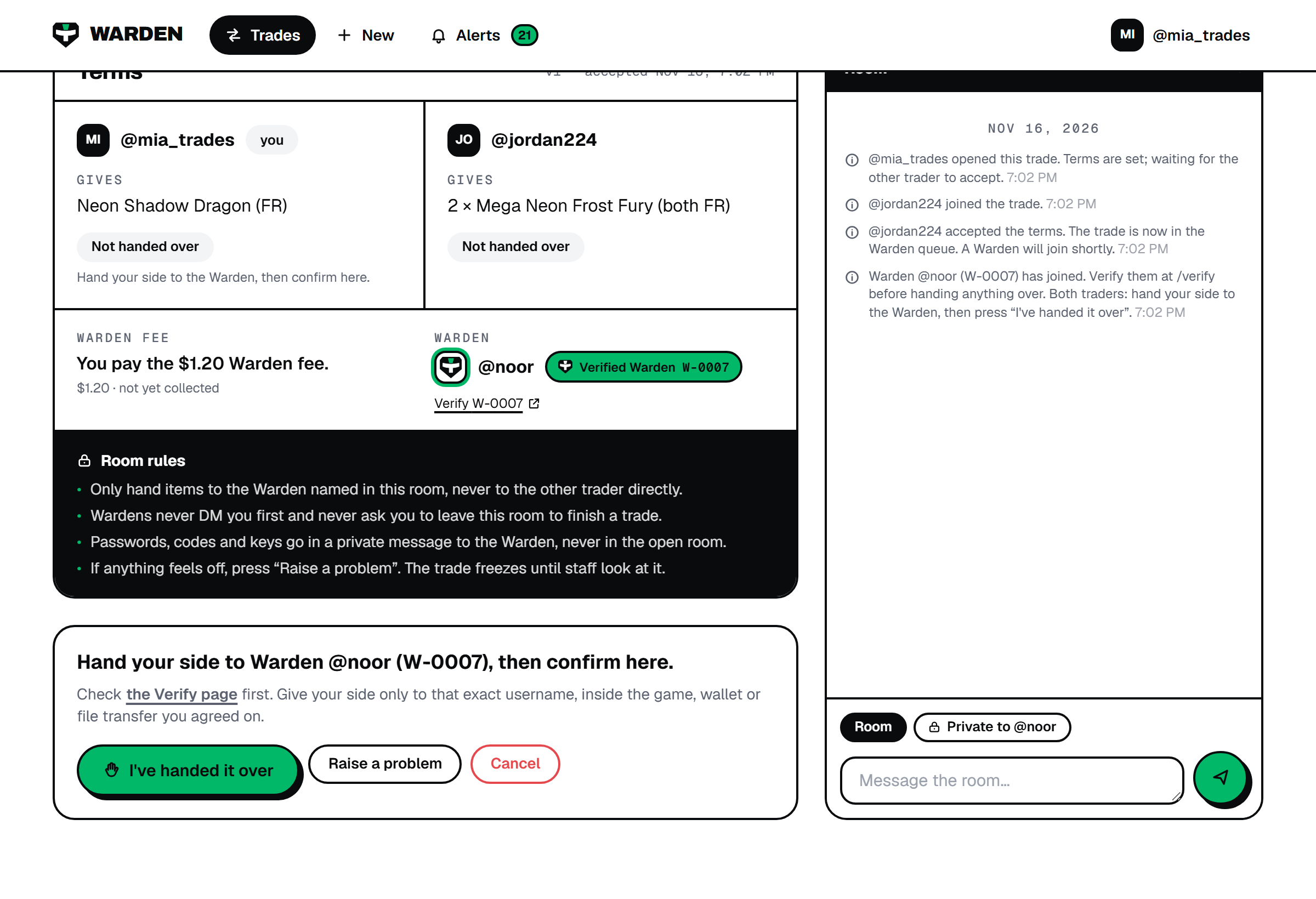 4
Both of you
Verify, then hand over
A Warden joins with a number like W-0007 and a Verified Warden badge. Click Verify to confirm them on the public list. Then give your side to that exact username, in the game, wallet or file transfer you agreed on, and press I've handed it over.
Passwords, codes and keys go in a Private to Warden message, never in the open room.
- wardenseal.com/t/WDN-····
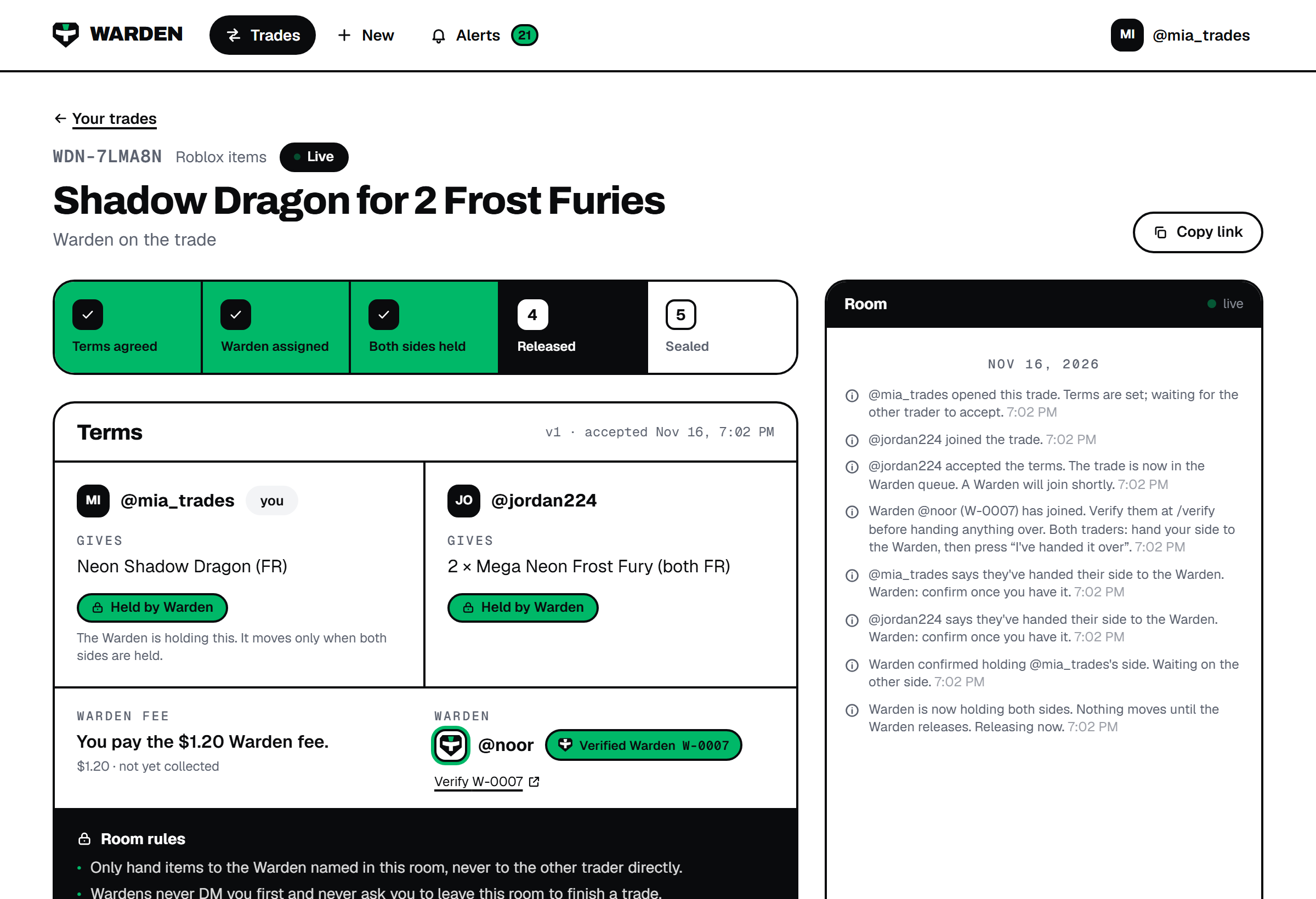 5
The Warden
Both sides held
The Warden checks each side against the terms and marks it Held by Warden. Step three turns green only when both sides are in the Warden's hands. Until then, nothing can be released.
- wardenseal.com/t/WDN-····
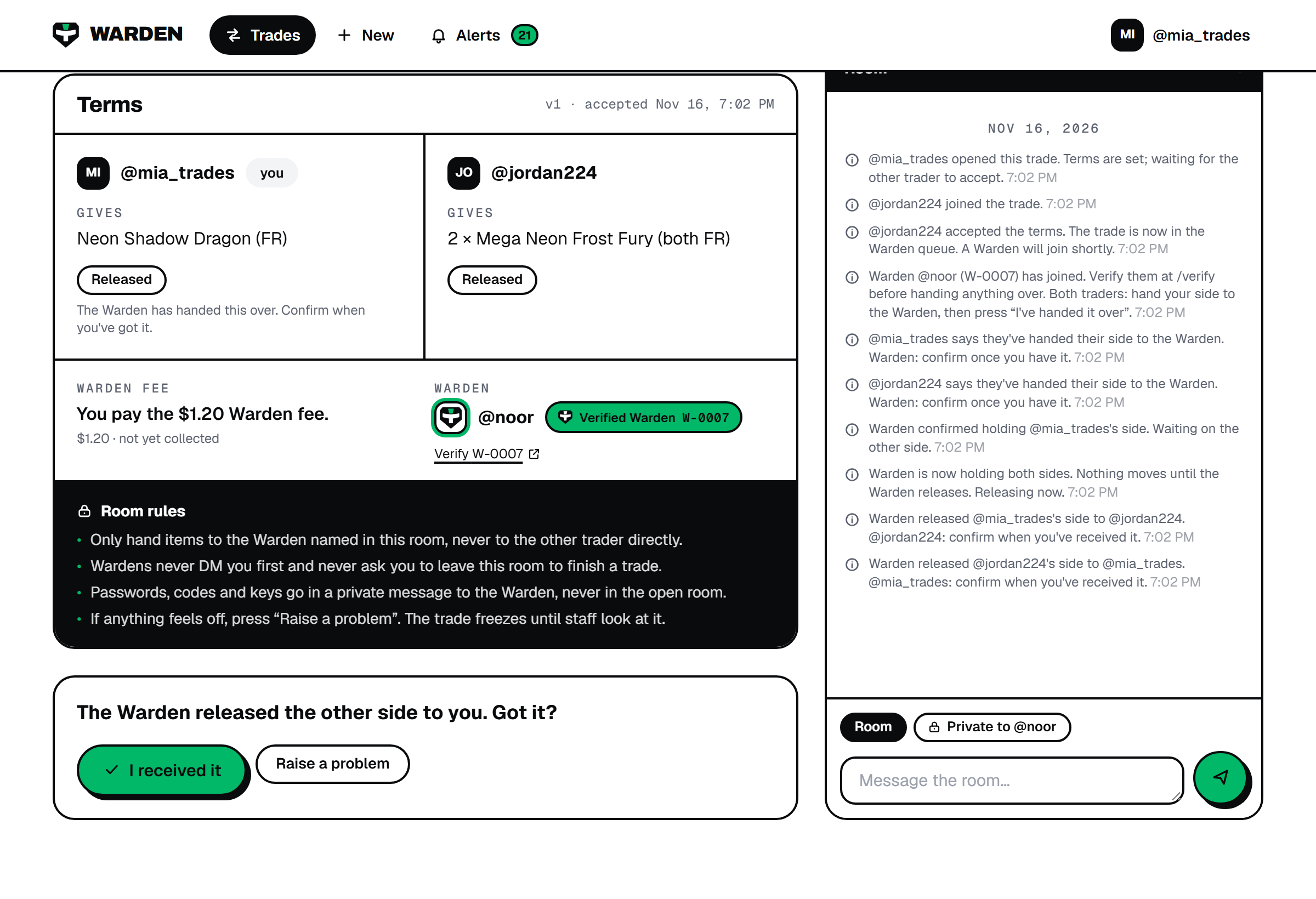 6
The Warden, then you
Released to you
The Warden hands each side across to the other trader. Check what you received against the terms, then press I received it. If something is off, press Raise a problem instead and the trade freezes for staff.
- wardenseal.com/t/WDN-····
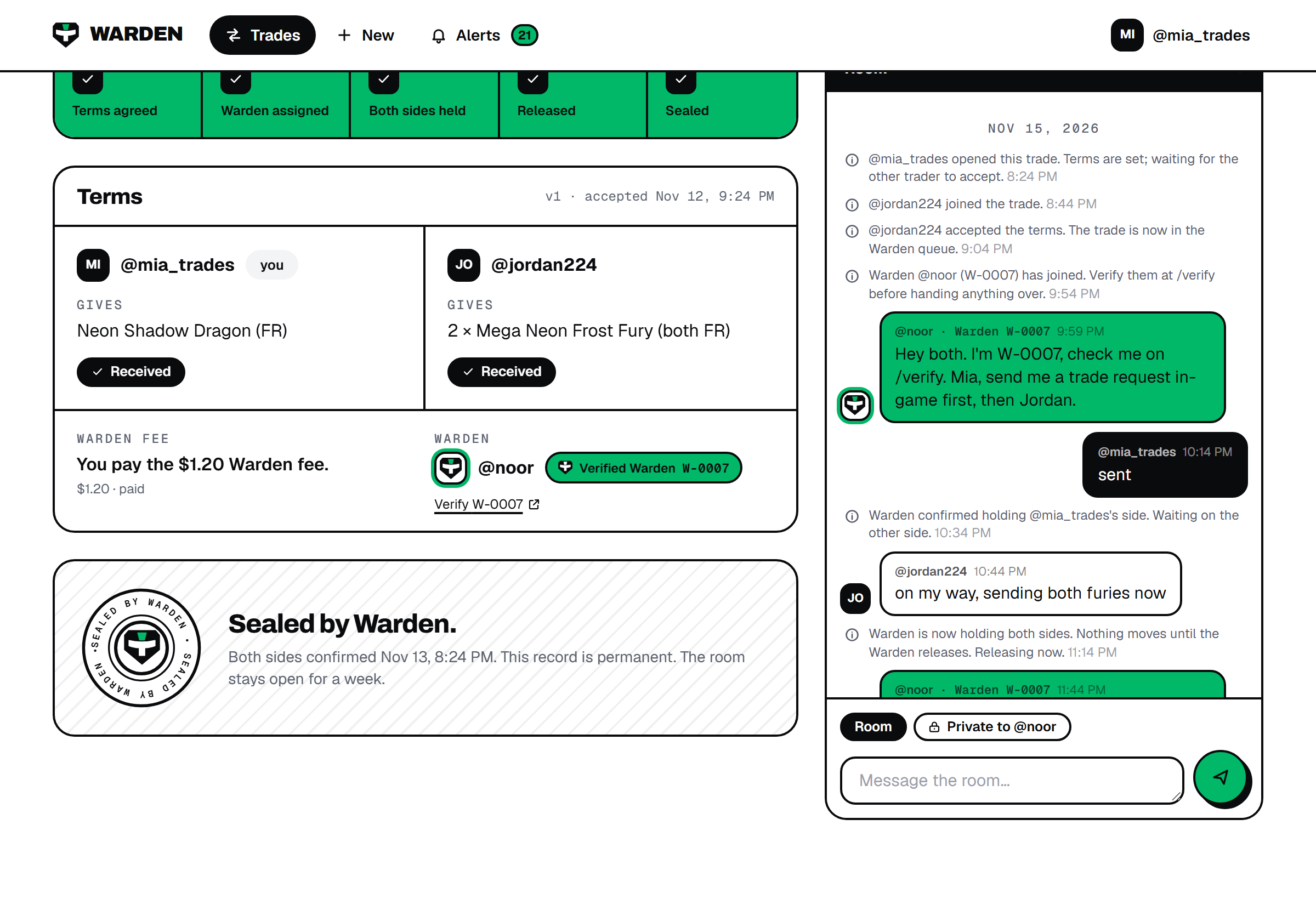 7
Done
Sealed
When both of you confirm, the trade is sealed. The full log, every message and every state change, is kept permanently. The room stays open for a week in case you want to say thanks.
Something goes wrong at any step? Press Raise a problem in the room. The trade freezes and staff decide on the log.
Safety guide
What if something goes wrong?
Any of the three people in the room can press Raise a problem. The trade freezes instantly: the Warden can't release anything, and staff review the full log. We decide on the record, not on who shouts loudest.
Who pays the $1.20?
Whoever you agree. The creator picks “I pay” or “the other trader pays” when writing the terms, and the other trader accepts it with everything else. Nothing is charged for trades that never happen.
Fee detailsReady?
Takes about a minute to write the terms.